Monitoring Progress
After submitting a job, you land on the status page at /jobs/<job_id>/. It auto-refreshes every 5 seconds and shows where the job is in the pipeline.
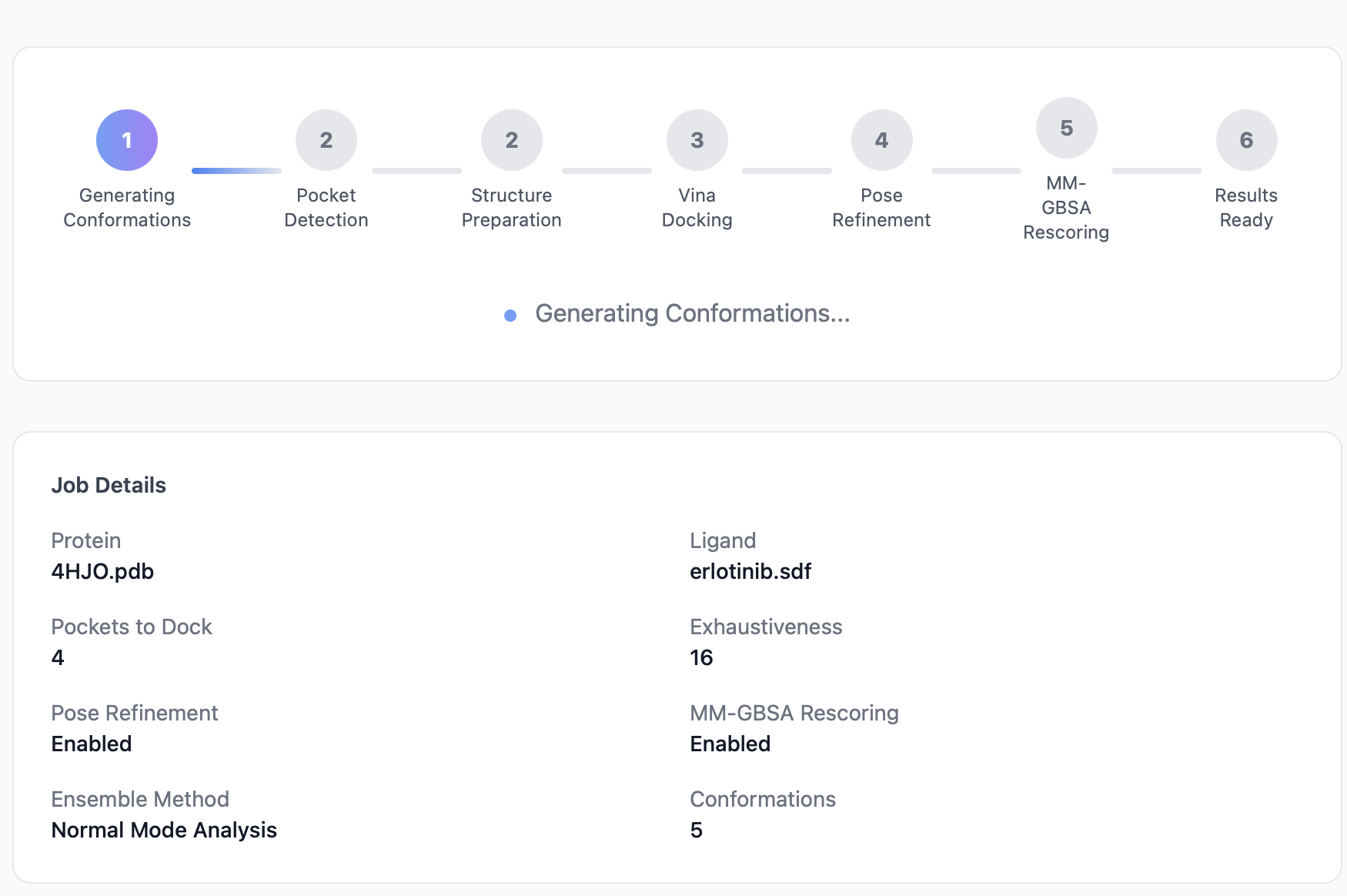
The pipeline indicator
PocketDock's pipeline has four steps. Each is shown as a circle that progresses from pending → active → completed:
| # | Step | What's happening |
|---|---|---|
| 1 | Pocket Detection | P2Rank analyzes the protein surface and ranks druggable pockets |
| 2 | Structure Preparation | Meeko converts the protein and ligand into Vina-ready PDBQT format |
| 3 | Docking | AutoDock Vina runs once per pocket, generating up to 9 ranked poses each |
| 4 | Results Ready | Files written, database updated, page redirects automatically |
Visual states:
- Gray — pending (not started yet).
- Blue, pulsing — actively running.
- Green checkmark — completed.
- Red — the pipeline failed at this step.
Job details panel
Below the pipeline indicator, the status page shows the parameters the job was submitted with:
- Protein filename
- Ligand filename
- Number of pockets to dock
- Vina exhaustiveness
These are read-only — to change them, submit a new job.
Queue position when pending
If your job is still pending (not yet picked up by a worker), the status page additionally shows a Queue position panel: how many jobs are ahead of yours in line, and an estimated wait until your job starts.
The estimate assumes the worker concurrency configured via WORKER_CONCURRENCY (default 2) and uses a rolling average of the last 20 completed jobs as the per-job duration. See Queue for the full formula and limitations.
The panel disappears as soon as your job moves to a running stage — at that point the pipeline indicator above tells you everything you need.
Polling and auto-redirect
The status page reloads itself every 5 seconds (using a meta-refresh, not JavaScript polling — works even with JS disabled). Behind the scenes:
- If
statusis stillrunning_*orpending, the page just refreshes. - If
statusbecomescompleted, the browser is redirected to the results view of the same URL. - If
statusbecomesfailed, the page renders an error banner with the failure message.
If you want to poll programmatically instead, use the API.
Failures
When the pipeline fails, the status page shows a red banner with the error message captured from the failing stage. Common causes are documented in Troubleshooting:
- P2Rank found no pockets — the protein may have no predicted druggable site; try a different chain or structure.
- Failed to prepare receptor / ligand — file format or chemistry issue.
- Vina failed on a pocket — not fatal; the pipeline continues with the remaining pockets and only that pocket is missing from the results.
Errors are truncated to 2000 characters and stored on the DockingJob record — they're available via the status API as well.
How long should a job take?
A rough guide for default settings (exhaustiveness=8, 3 pockets):
| Protein size | Ligand size | Expected runtime |
|---|---|---|
| Small (~150 residues) | Small (~20 heavy atoms) | 2–4 min |
| Medium (~300 residues) | Medium (~30 heavy atoms) | 4–8 min |
| Large (~500+ residues) | Large (~50 heavy atoms) | 8–15 min |
Doubling exhaustiveness roughly doubles the docking time. The hard ceiling is the Celery task time limit of 3600 seconds (configurable; see Configuration).
Sharing a job
The job URL — http://<your-host>/jobs/<job_id>/ — is permanent and unauthenticated. Anyone with the URL can view the status and (when complete) the results. There is no "delete" button in the UI; jobs persist until manually removed from the database and media/ directory.