The Results Page
The results page is where you spend most of your time in PocketDock. It's a two-column layout: an interactive 3D viewer on the left, and a sortable results table with detail panels on the right.
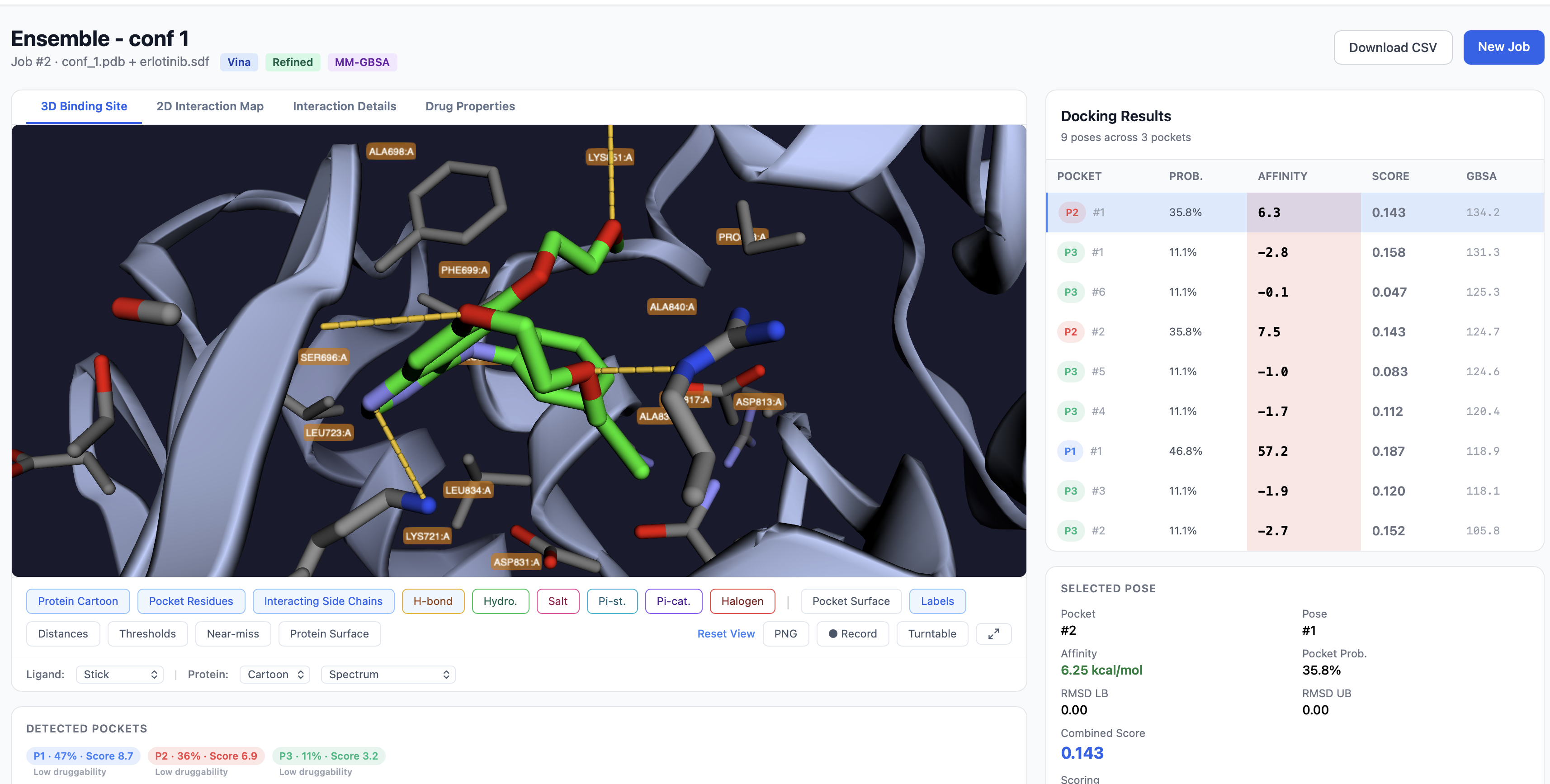
Page layout
| Region | Contents |
|---|---|
| Left (≈ 65% width) | 3D viewer with three tabs — 3D Binding Site, 2D Interaction Map, Interaction Details |
| Right sidebar | Results table, selected pose info, detected pockets summary, export buttons |
The active row in the results table drives everything else: the 3D viewer loads the selected pose, the pose info panel updates, and the interaction tabs show that pose's contacts.
The results table
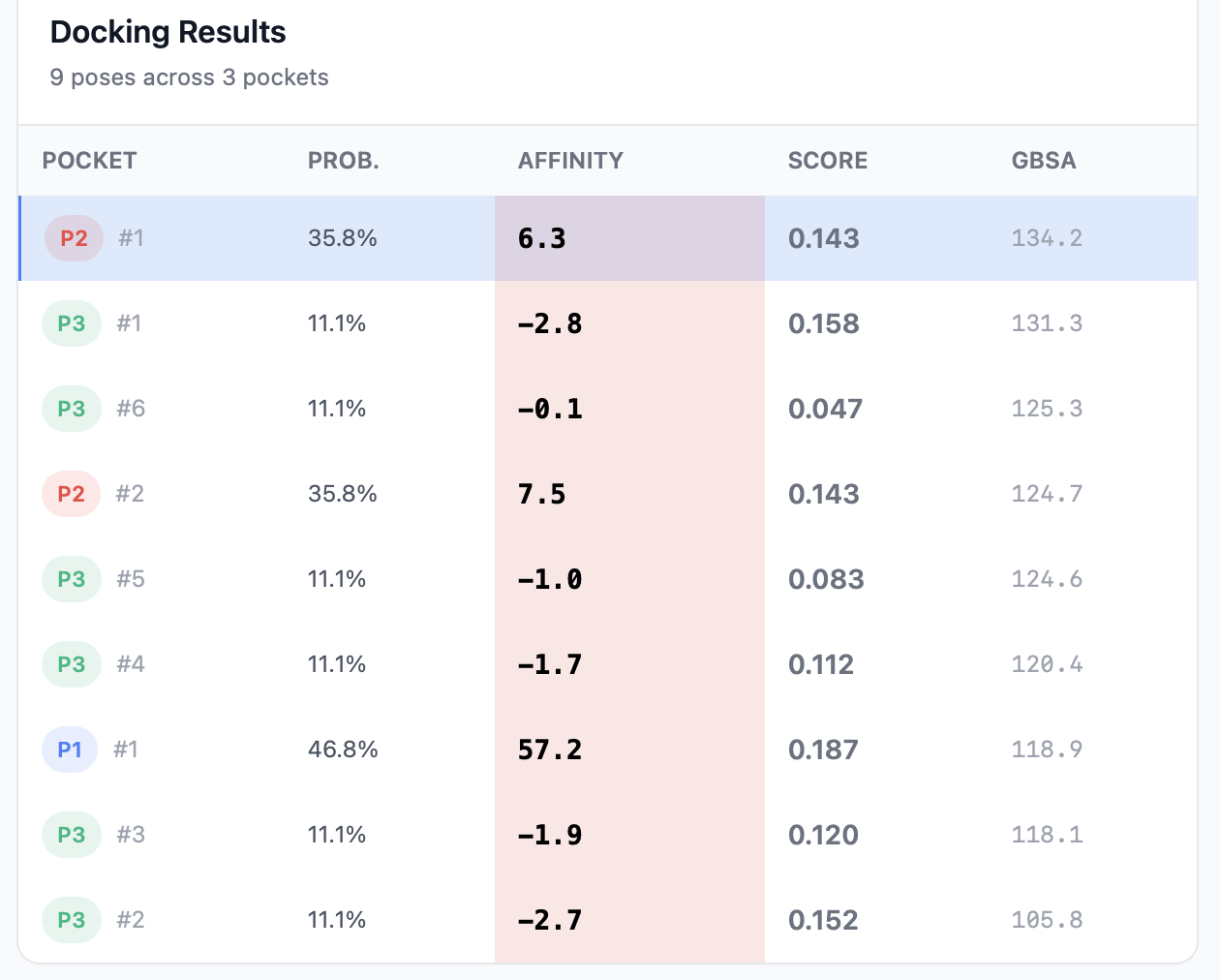
One row per docked pose. With default settings (3 pockets × up to 9 poses) you'll see up to 27 rows.
| Column | Description | Sortable |
|---|---|---|
Pocket rank badge (1, 2, …) and pose number within that pocket |
Yes | |
| Prob. | Pocket probability (P2Rank), shown as a percentage | Yes |
| Affinity | Vina binding affinity in kcal/mol — more negative is better | Yes |
| Score | Combined score (0–1) — default sort | Yes |
Click any column header to sort. Click a row to load that pose into the viewer and update the detail panels.
Visual cues
- The Affinity cell has a green-gradient background — strong binding (more negative kcal/mol) is darker green; weak binding fades to white.
- The Score value is colored: green for
> 0.6, yellow for0.3–0.6, gray for< 0.3. - The selected row is highlighted; hover shows a subtle background change.
Selected pose info panel
Below the table, the Selected Pose panel summarizes the currently active pose:
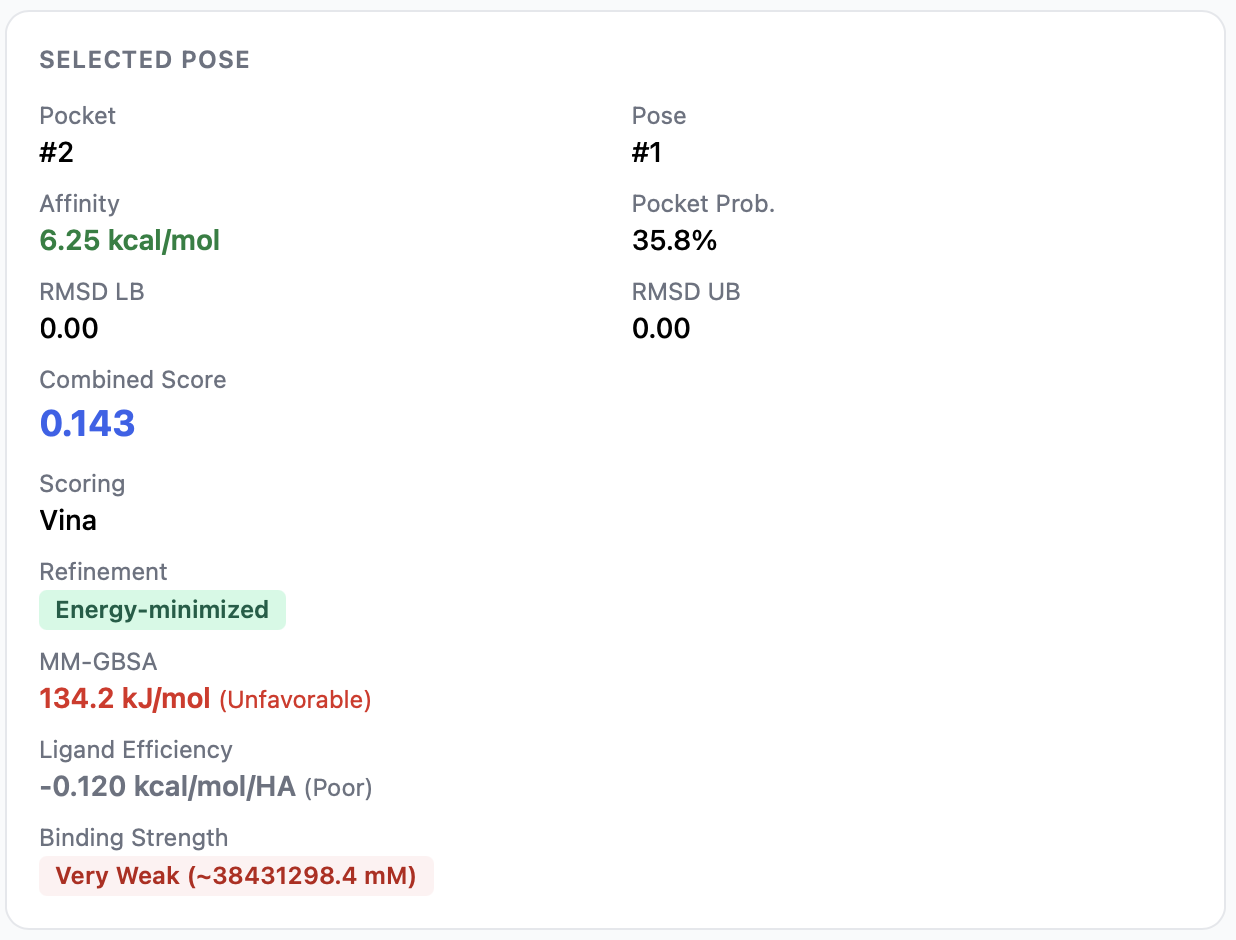
| Field | Meaning |
|---|---|
| Which pocket the pose is in | |
| Pose | Pose number (1 = best, up to 9) |
| Affinity (kcal/mol) | Vina score for this pose |
| Pocket Probability (%) | P2Rank score for the parent pocket |
| RMSD LB / UB | Lower / upper bound of the pose-uncertainty RMSD vs. the best pose in the same pocket |
| Combined Score | Weighted blend of pocket probability and normalized affinity |
| Ligand Efficiency | −affinity / heavy_atoms — annotated as Good / Moderate / Poor |
| Binding Strength | Estimated dissociation constant (Kd) and a strength category (Very Strong → Very Weak) |
See Interpreting Results for how each number is calculated and what to make of it.
Detected pockets summary
The pockets PocketDock chose to dock against are listed as badges:

Each badge shows:
- Pocket rank (e.g.,
Pocket 1) - Probability as a percentage
- P2Rank score
- Druggability — derived from the probability:
> 80%→ Highly druggable50–80%→ Moderately druggable< 50%→ Low
- Composition bar — stacked horizontal bar showing the residue-type breakdown of the pocket lining: hydrophobic, polar, positive, negative, special.
These let you eyeball whether a pocket looks plausible (for example, a pocket dominated by hydrophobic residues with a positive ligand may be a poor match).
Exports
Three export buttons sit at the top of the results page:
- Download CSV — the full results table with columns:
pocket_rank,pocket_probability,pose_rank,affinity_kcal_mol,rmsd_lb,rmsd_ub,combined_score. - Export 2D Map PNG — saves the current 2D interaction diagram as a PNG.
- Export Interactions CSV — saves the detailed per-interaction table for the selected pose.
You can also right-click the 3D viewer and use the in-canvas Save image as option to export the current 3D view as PNG (also available as a button in the viewer toolbar).
Sharing the results
The page URL is stable and shareable: http://<host>/jobs/<job_id>/. Anyone with the link can view the same results, including the interactive 3D viewer (the underlying PDB and PDBQT files are served from /api/jobs/<job_id>/files/<path>). There's no per-job authentication, so don't post links publicly if your input structures are confidential.
Where to next
- 3D Viewer Controls — every button and toggle in the viewer
- Interaction Analysis — the 2D map, interaction details tab, distance thresholds
- Interpreting Results — what the affinity, score, LE, and Kd numbers actually mean